
Costs that vary
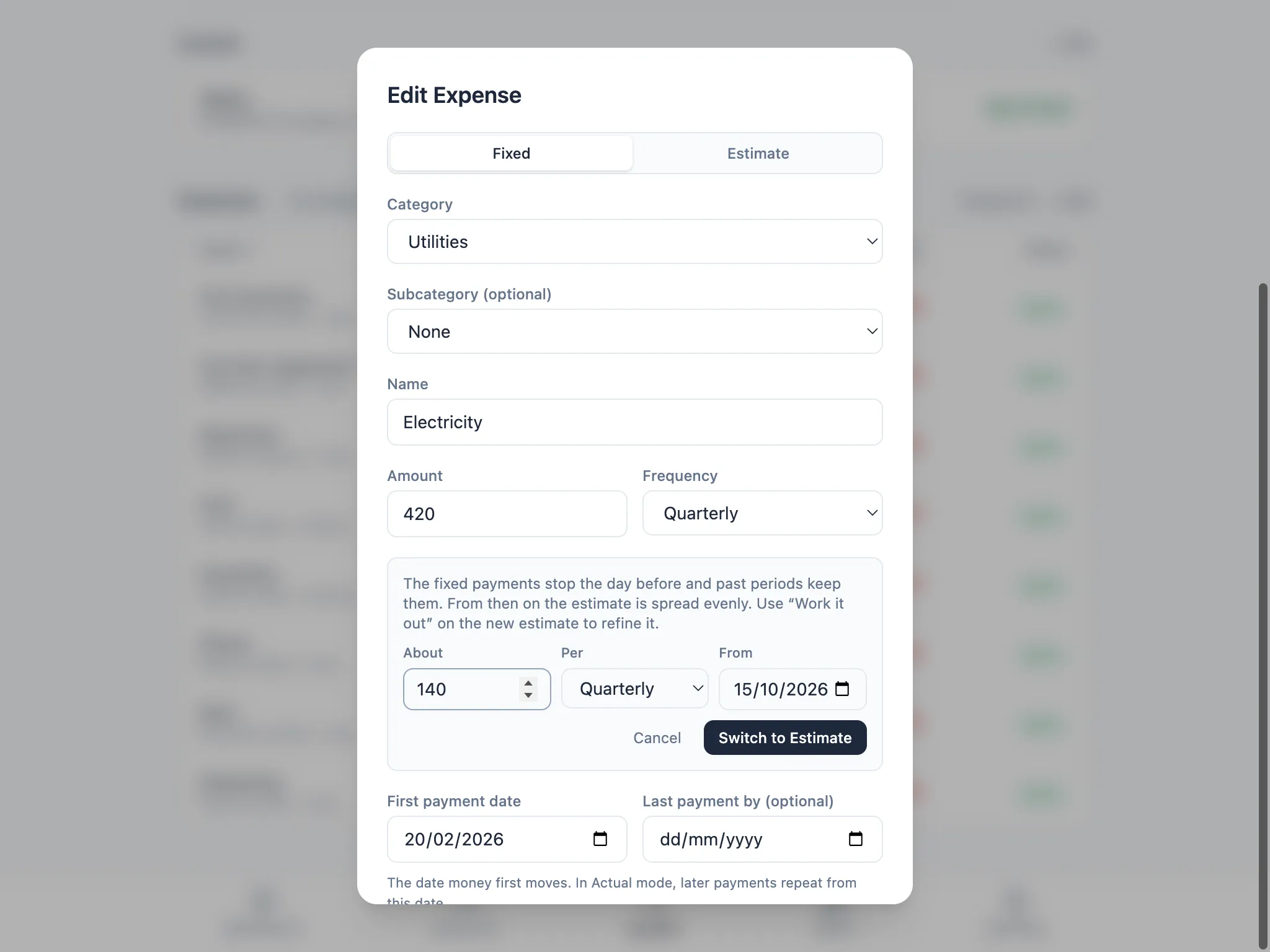
Some costs don’t happen on a fixed date or for a fixed amount: fuel, car servicing, a yearly donations budget. Add these as an Estimate instead of Fixed, described in Adding income and expenses.
Work it out
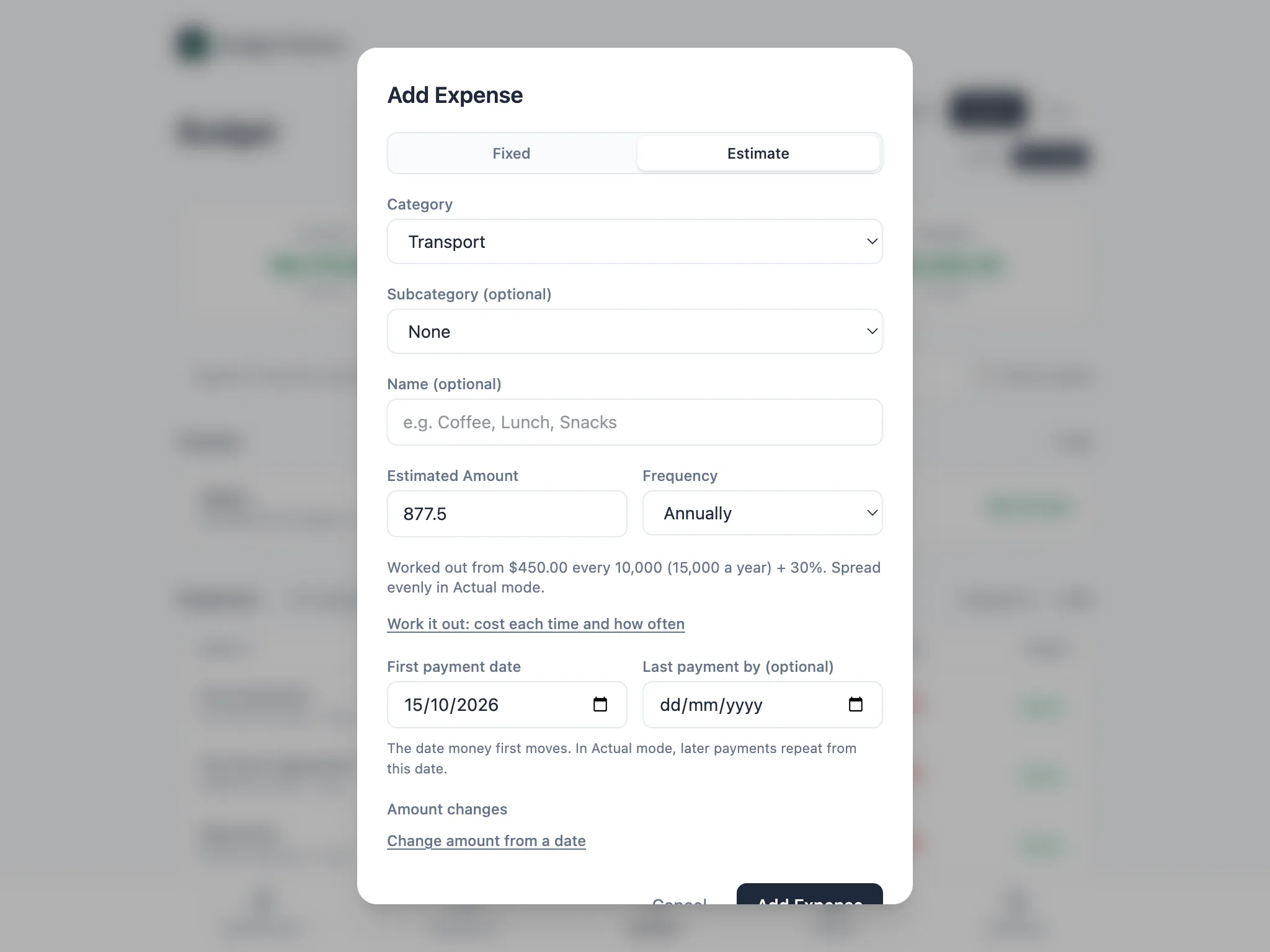
Section titled “Work it out”When you don’t know the exact yearly amount, choose Work it out: cost each time and how often on an Estimate. Enter about how much it costs each time, and how often it happens: every so many weeks or months, a number of times a year, or by distance for something like a car service. For a service costing about $450 every 10,000 km, on a car doing 15,000 km a year, with 30% added under Margin for extras, that works out to an estimate of $877.50 a year.
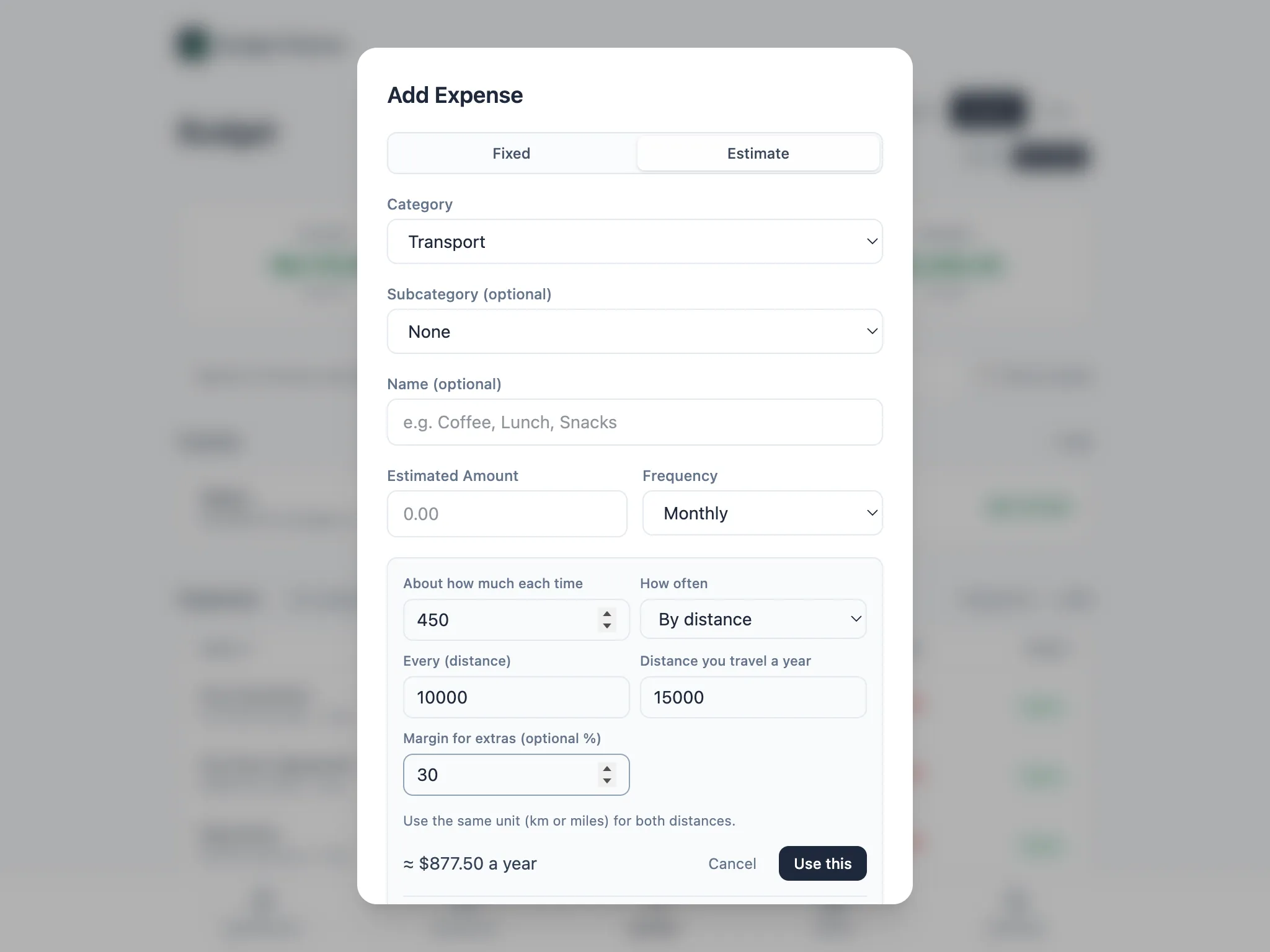
Choose Use this and the amount, frequency and a note of how it was worked out are saved on the item, so you can come back and adjust the inputs later, such as when the service price changes.
Switching between Fixed and Estimate
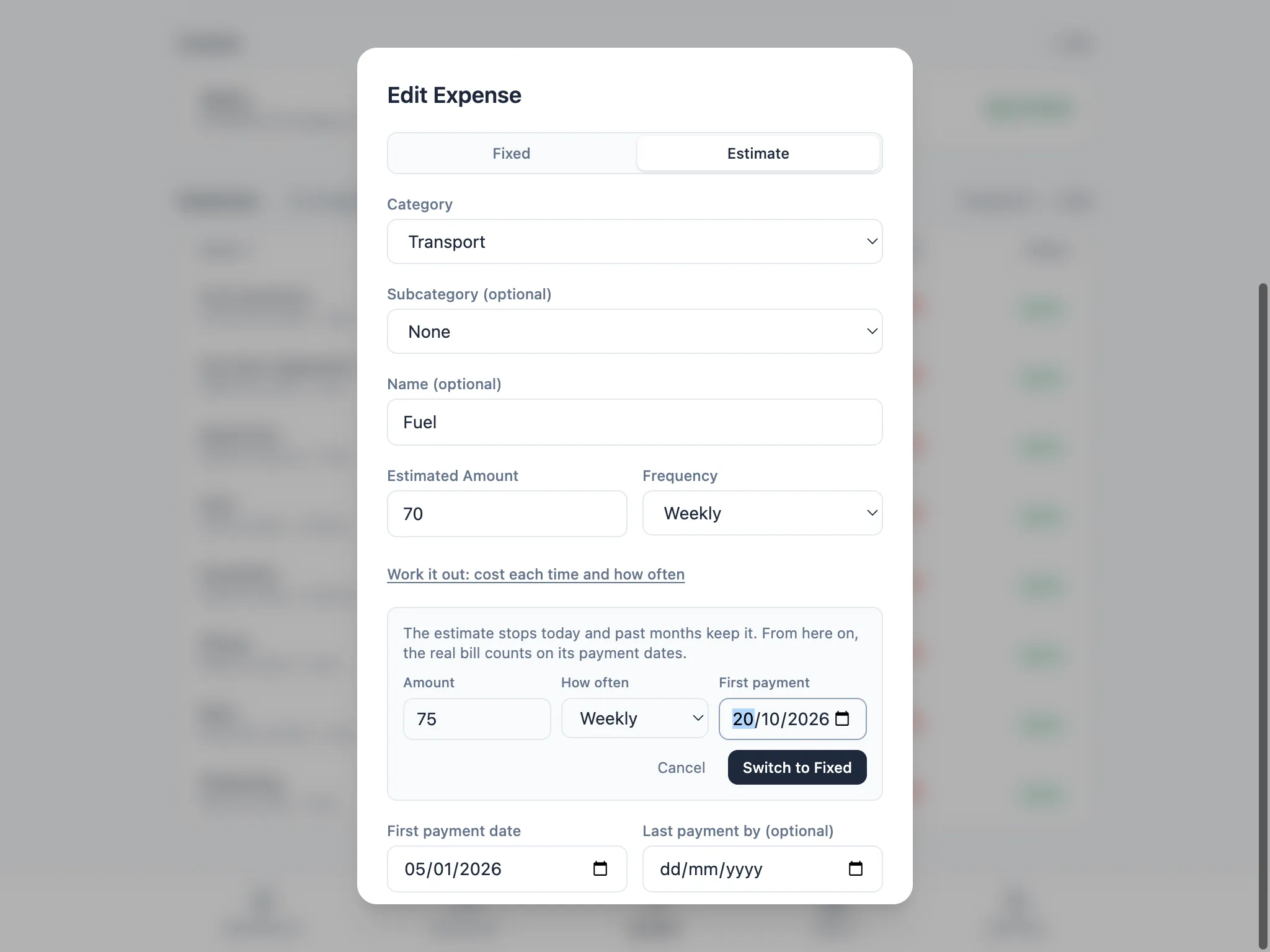
Section titled “Switching between Fixed and Estimate”If an Estimate turns out to have a known bill (the real invoice for a car service, say), edit the item and choose Switch to Fixed: the real bill is known. The estimate stops the day before, past months keep what it estimated, and the Fixed item takes over from the date you give it.
The same works the other way: if a Fixed cost turns out to vary, like a bill that changes with usage, edit it and choose Switch to Estimate: this cost varies. The fixed payments stop the day before, and an Estimate spread evenly takes over. Either way, only future periods use the new type, and your past months keep whatever was true at the time, so switching doesn’t rewrite history.