

Actual and Run Rate
The Budget page adds up your income and expenses two different ways: Actual and Run Rate. Switch between them with the buttons under the period selector.
Actual: the day money moves
Section titled “Actual: the day money moves”Actual places every payment on the date it actually happens, then totals whatever falls inside the period you’re looking at. A fortnightly pay lands on its real pay day, an annual bill lands in the month it’s due, and a monthly bill lands on its date each month (the 31st moves to the last day of shorter months, so nothing is skipped).
Because payments land on real dates, some months add up to more or less than usual. This demo month has 3 fortnightly Salary pays instead of the usual 2, so Income for October 2026 comes to $8,550.00 rather than the smoother figure Run Rate would show.
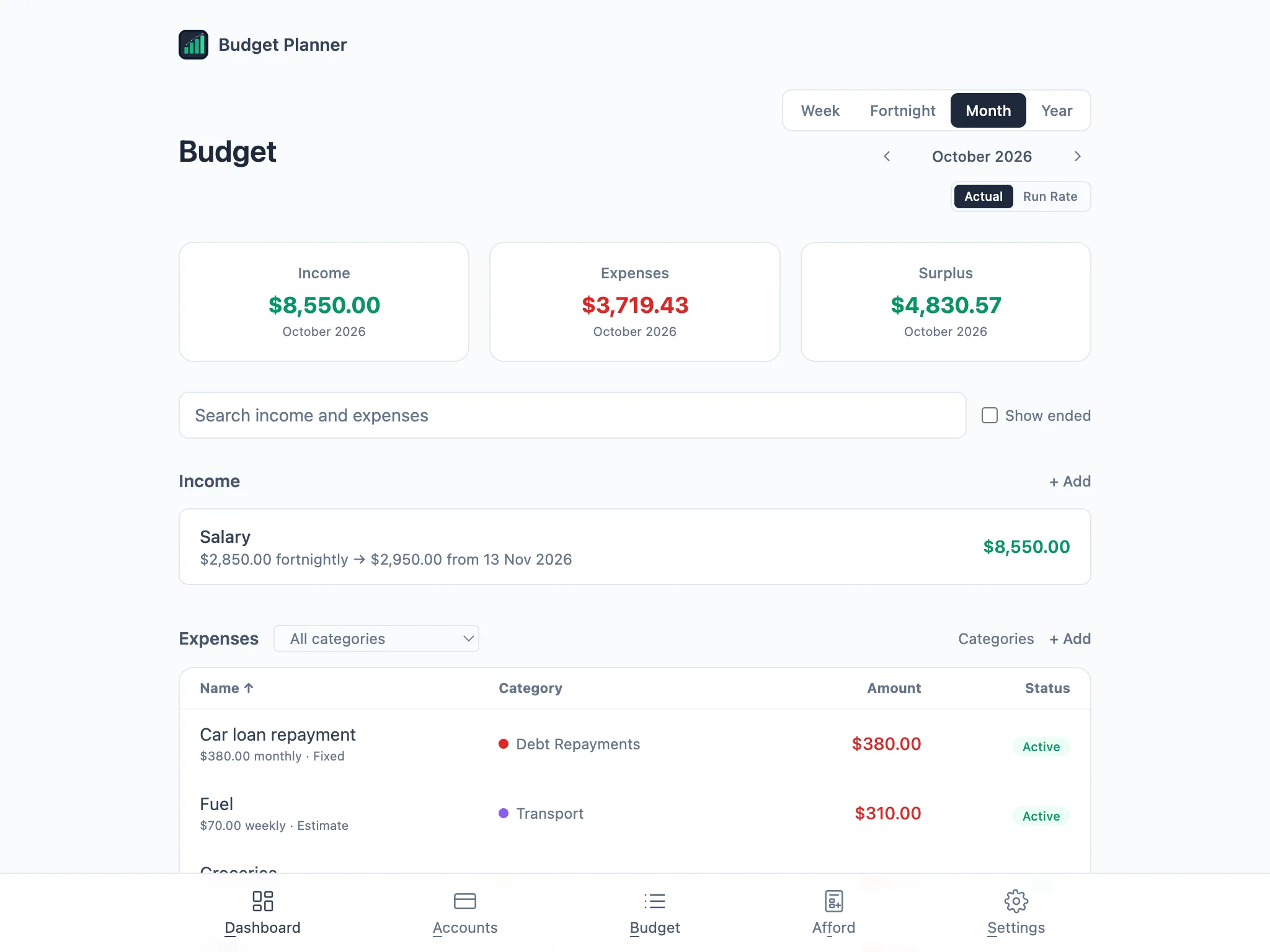
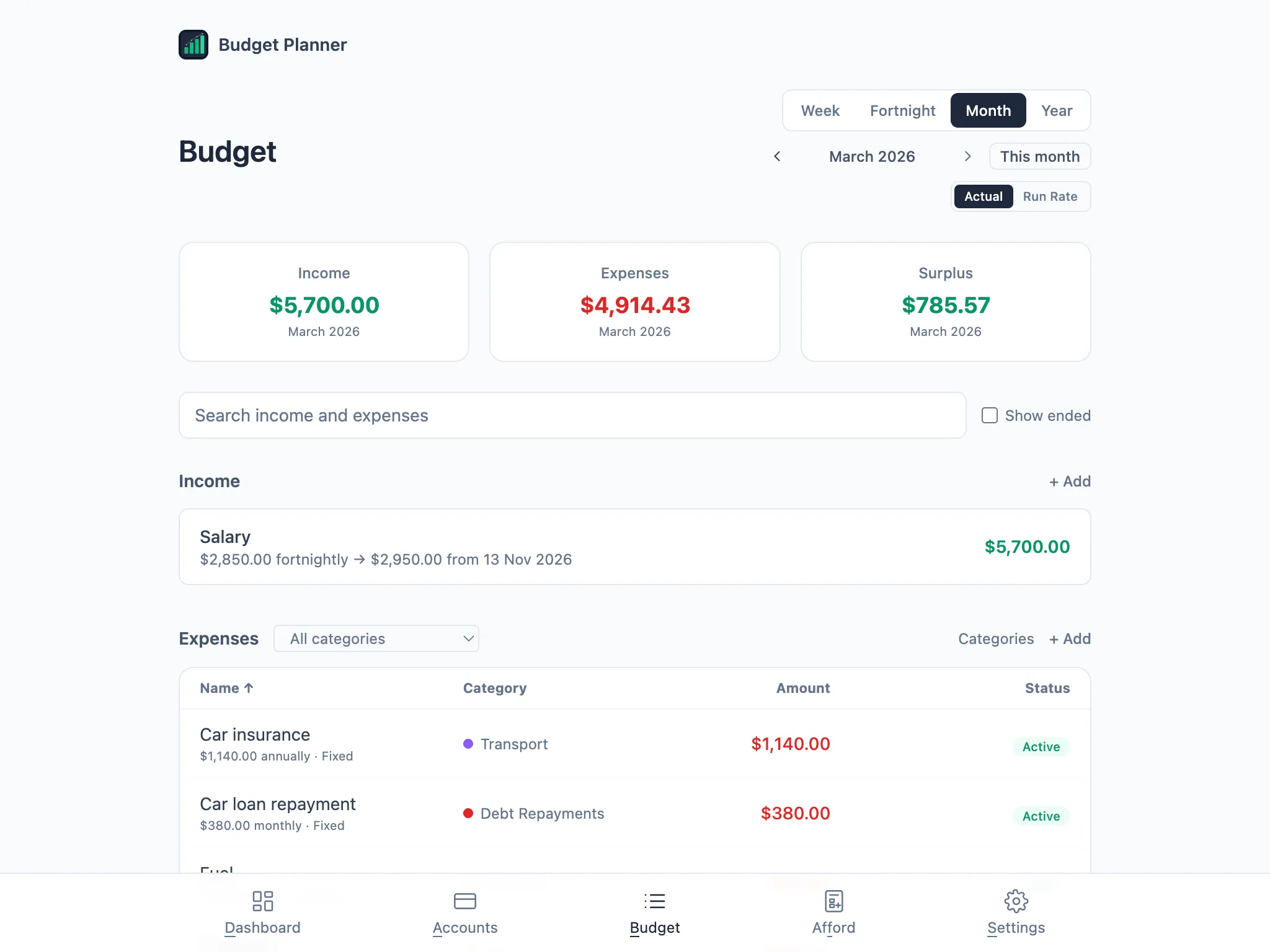
An annual bill only shows up in Actual for the month it’s actually due. Car insurance here is billed once a year in March, so it only appears in the Expenses list, and in the Expenses total, for that month.
Run Rate: the smooth average
Section titled “Run Rate: the smooth average”Run Rate converts everything to the same average, whatever period you’re viewing, so a fortnightly pay always shows as the same monthly figure and an annual bill always shows as its yearly amount divided evenly. Switch from Actual to Run Rate for the same October and Income drops to $6,175.00: a year of fortnightly pays (26 of them) averaged over 12 months, instead of the 3 pays that actually landed that month.
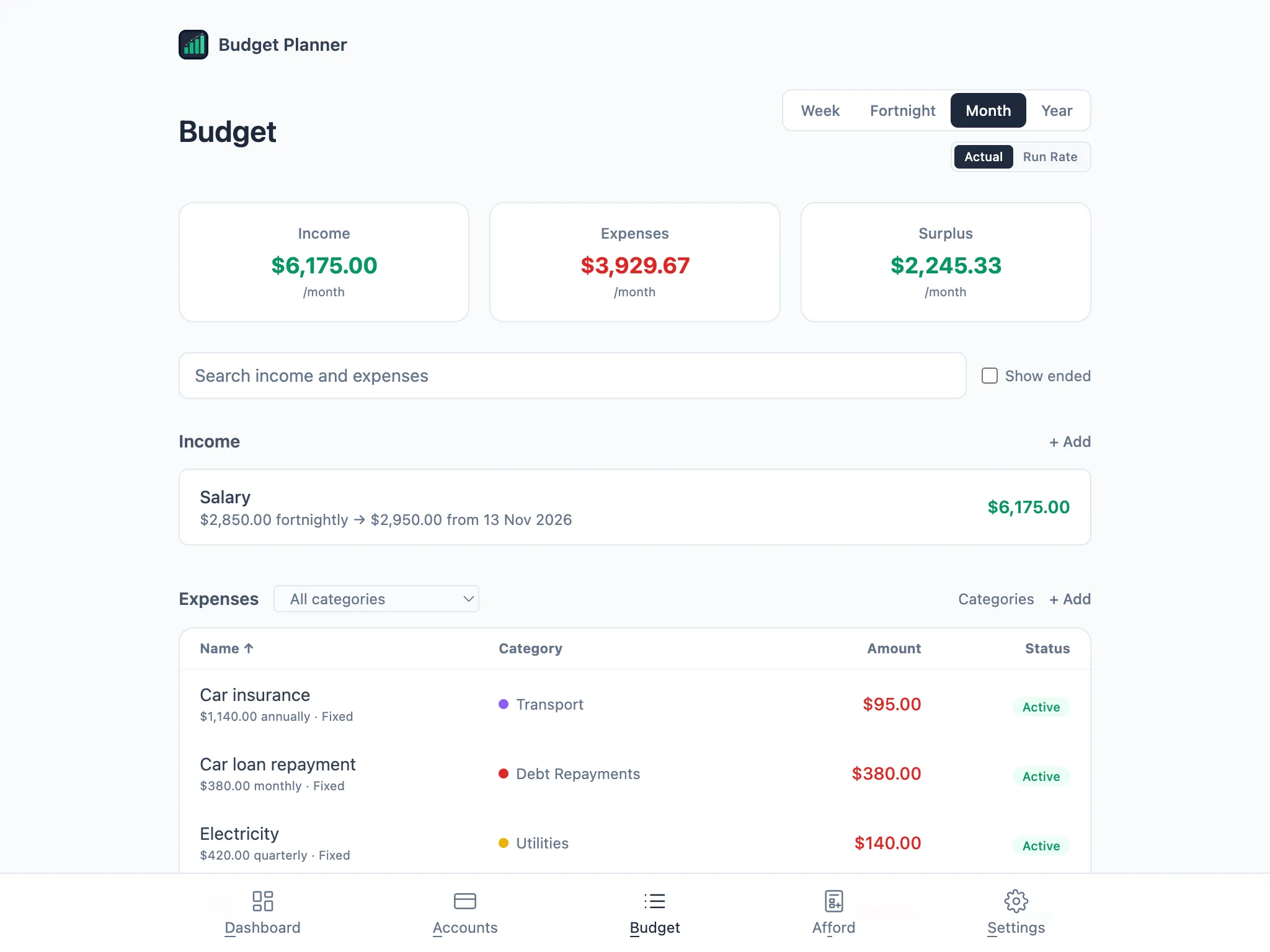
Run Rate counts every item that hasn’t ended, including ones starting in the future, so a known pay rise or a new bill is already part of the baseline before its first payment.
Week, fortnight, month and year
Section titled “Week, fortnight, month and year”Whichever mode you’re in, the buttons above the period switch what you’re viewing: Week, Fortnight, Month or Year. Year follows the year start you chose in Settings (see Getting started). Set it to July and Year can show a financial year like “2026-27” instead of a calendar year.
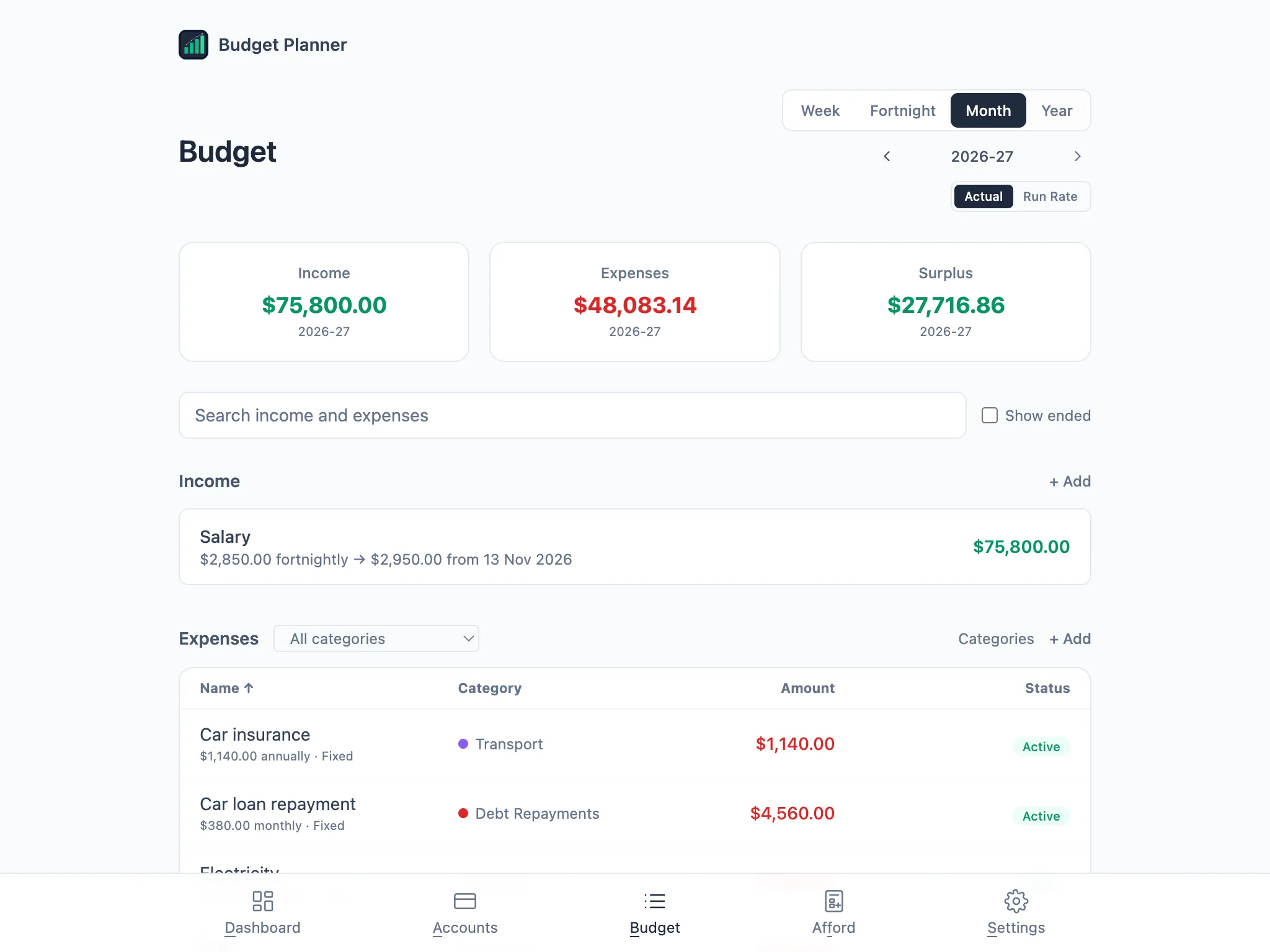
In Actual mode you can also step back and forward through periods with the arrows next to the period label, useful for checking a month with an annual or quarterly bill in it. A This month (or This week, This fortnight, This year) button appears once you’ve moved away from the current period, so you can jump straight back.